Your view, in your hand.
Check the composition with Live View. Release the shutter from your phone while your camera stays right where you put it.
 Remote+
YOUR CAMERA. A LITTLE MORE FREEDOM.
Your Canon EOS. Your phone. See the frame, take the shot and bring your photos with you — with Remote+.
 EOS cameras
Free compatibility check. Pro required for camera control.
LESS RUNNING BACK TO THE CAMERA
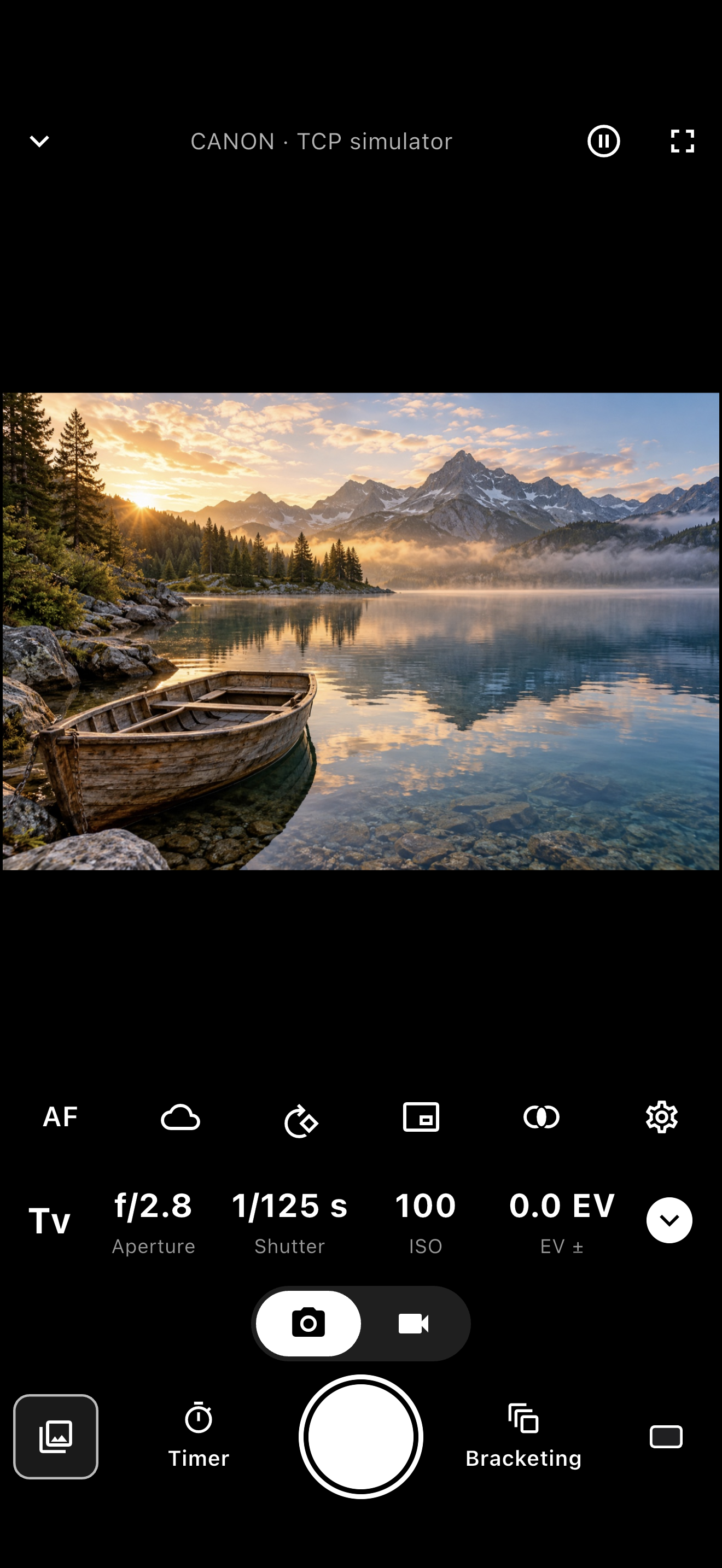
Check the composition with Live View. Release the shutter from your phone while your camera stays right where you put it.
Adjust supported aperture, shutter speed, ISO and white balance settings without reaching for the camera.
Set a timer or an interval sequence. Stay near the camera and keep the app open while it takes your shots.
Browse and transfer photos over Wi-Fi, ready to save or share. File support depends on the camera and your device.
FROM CONNECTION TO COMPOSITION
Install the app on your phone or tablet.
Follow the in-app guide and check compatibility for free.
Choose Pro, open Live View and shoot from your phone.
BEFORE YOU BUY
Canon EOS is a big family. Features depend on the camera model, firmware, lens and shooting mode. Use the free compatibility check before purchasing Pro.
Other models may appear in the connection guide; this does not guarantee support.
No. Remote+ is an independent app. It is not affiliated with, endorsed or sponsored by Canon. Canon and EOS are trademarks of Canon Inc.
The compatibility check and demo are free. Remote-control tools require Pro, available as a monthly subscription or a one-time Lifetime purchase. Your store shows the current local price and any eligible trial.
The camera and phone need a supported wireless connection. Stay within a reliable Wi-Fi range; this is not an internet surveillance service.
RAW compatibility depends on the file format and receiving app. Not every RAW file can be imported into the device’s photo library.
Yes. Keep Remote+ in the foreground during timed shooting and transfers.
Put the camera in position. Take the controls with you.
Free compatibility check. Pro required for camera control.
iOS: Remote+ Camera Control · Android: Camera Remote for Canon